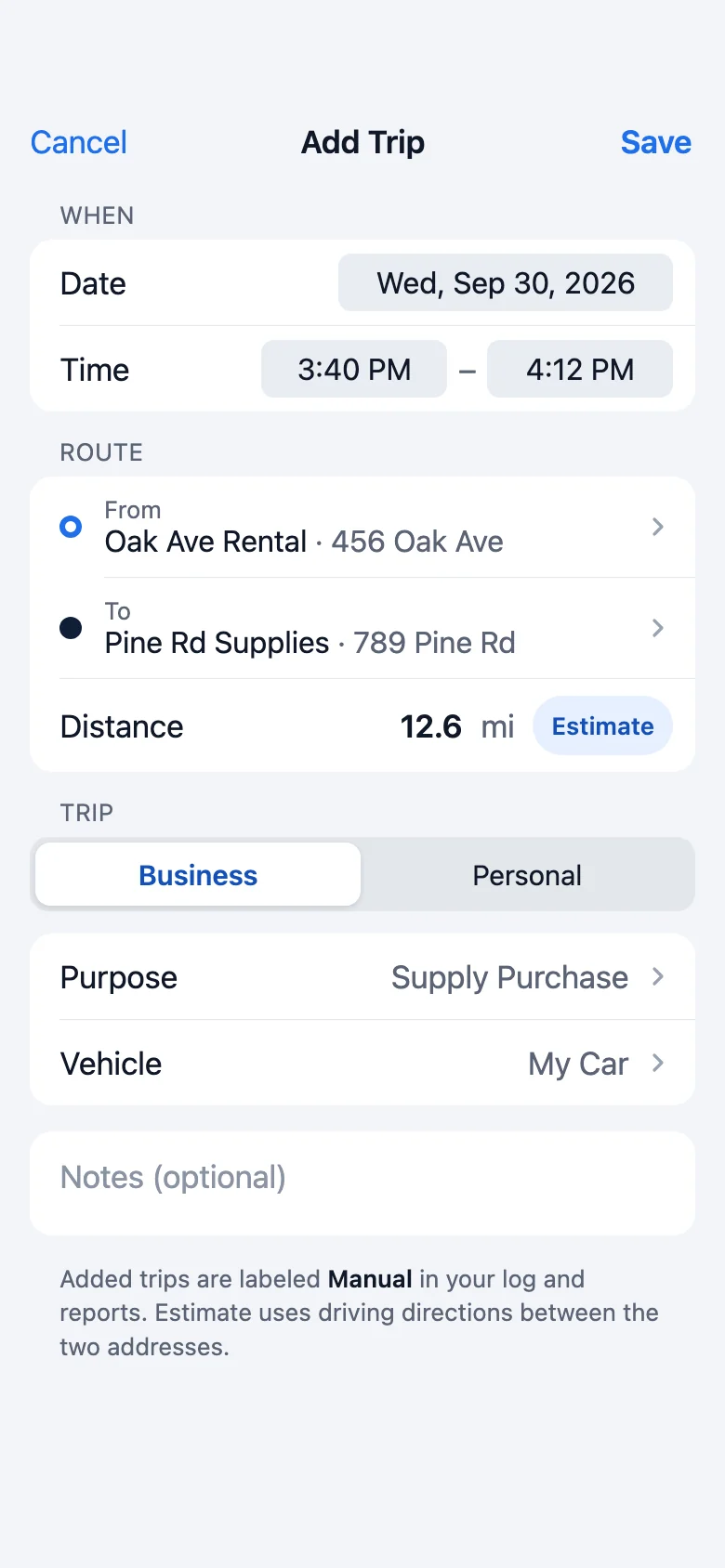
Forgot to start? Add it later.
Enter a past trip in seconds and estimate the distance from the two addresses. Added trips are labeled Manual in your reports.
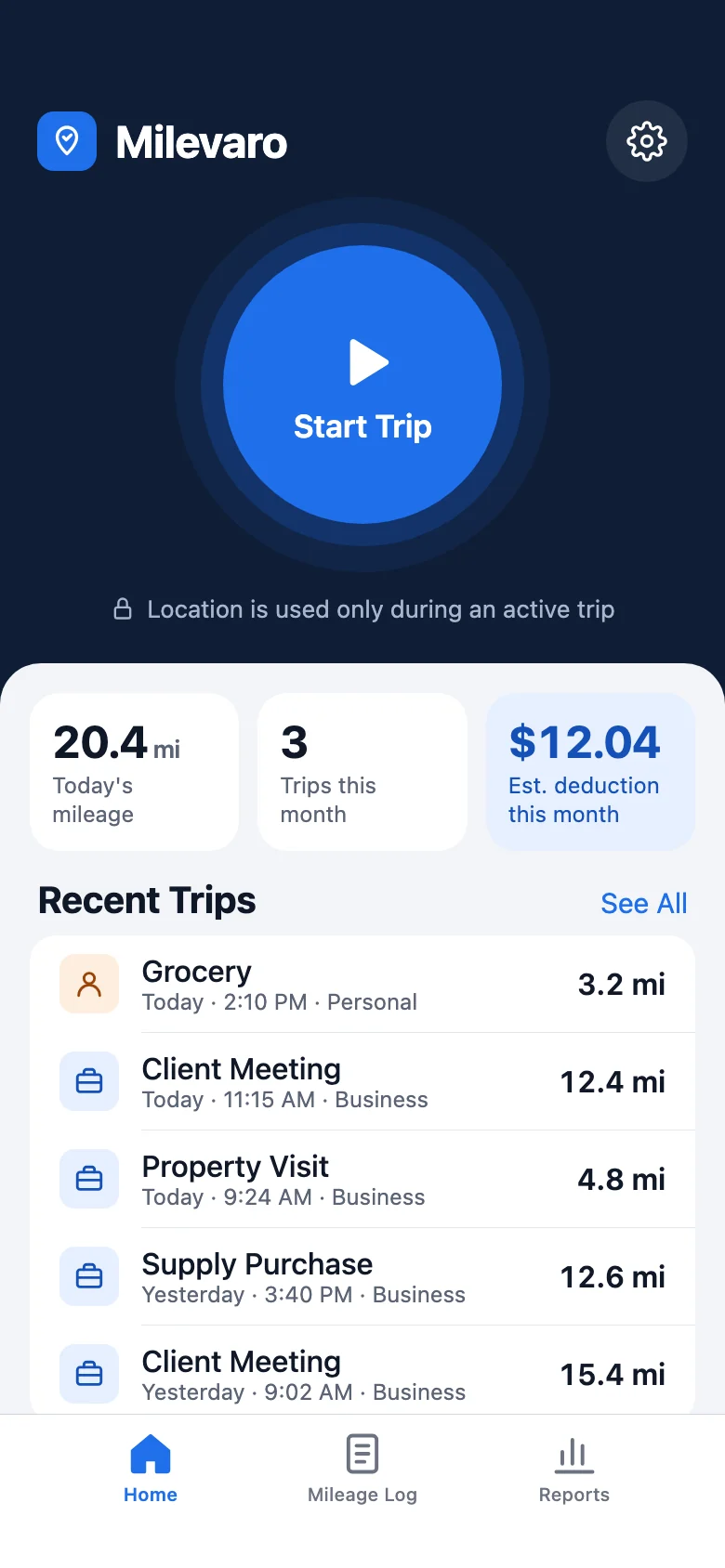
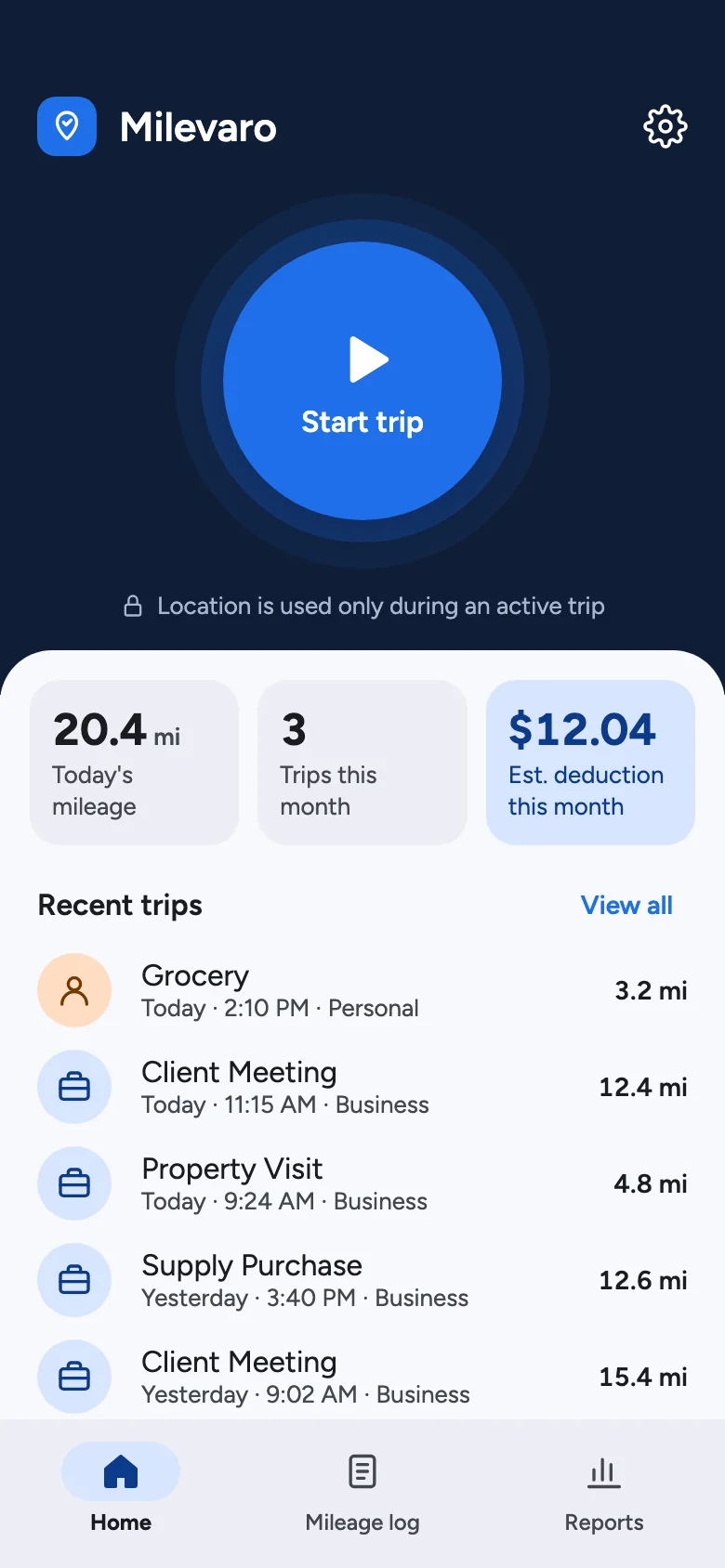
Milevaro logs your drives with one tap and turns your business miles into an estimated deduction at the IRS standard mileage rate. Start a trip, track the miles, export the log.
Made for
What your miles are worth
Every business mile you log is worth 76¢ at the IRS standard mileage rate. Miles you forget to log are miles you can’t back up at tax time.
5,200 mi × $0.76
* Estimate using the IRS business standard mileage rate of 76¢ per mile (July 1 – December 31, 2026; 72.5¢ from January 1 to June 30, 2026), per IRS.gov. All 2026 rates. A deduction lowers taxable income; it isn’t cash back. Milevaro reports aren’t IRS-certified and don’t guarantee a deduction. Check with your tax professional.
How it works
No setup, no automatic tracking guesswork. You decide when a trip starts and ends, and Milevaro does the math.
Tap the big blue button as you pull out. Milevaro asks for location only when you need it.
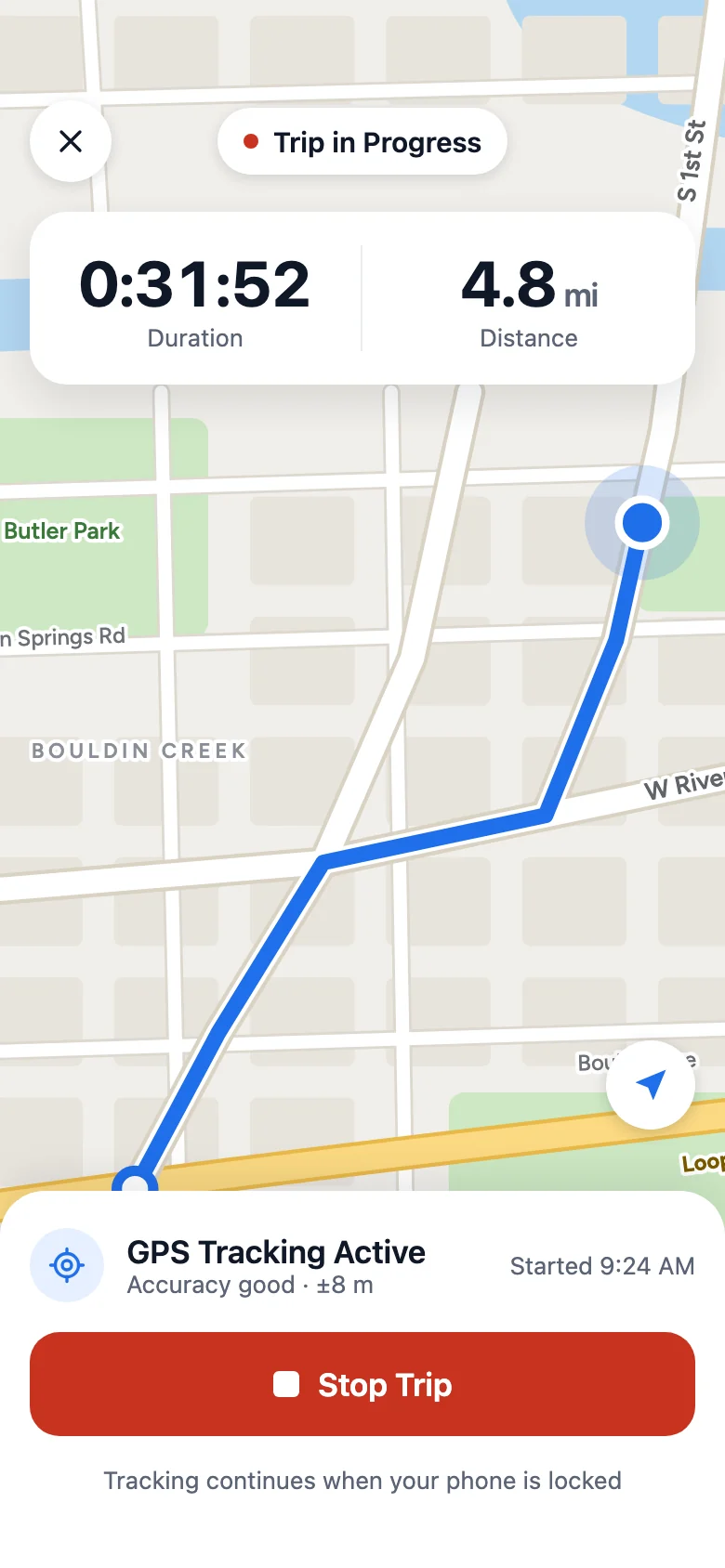
Time and distance update as you drive, even with your phone locked, with your route on a live street map on iPhone.
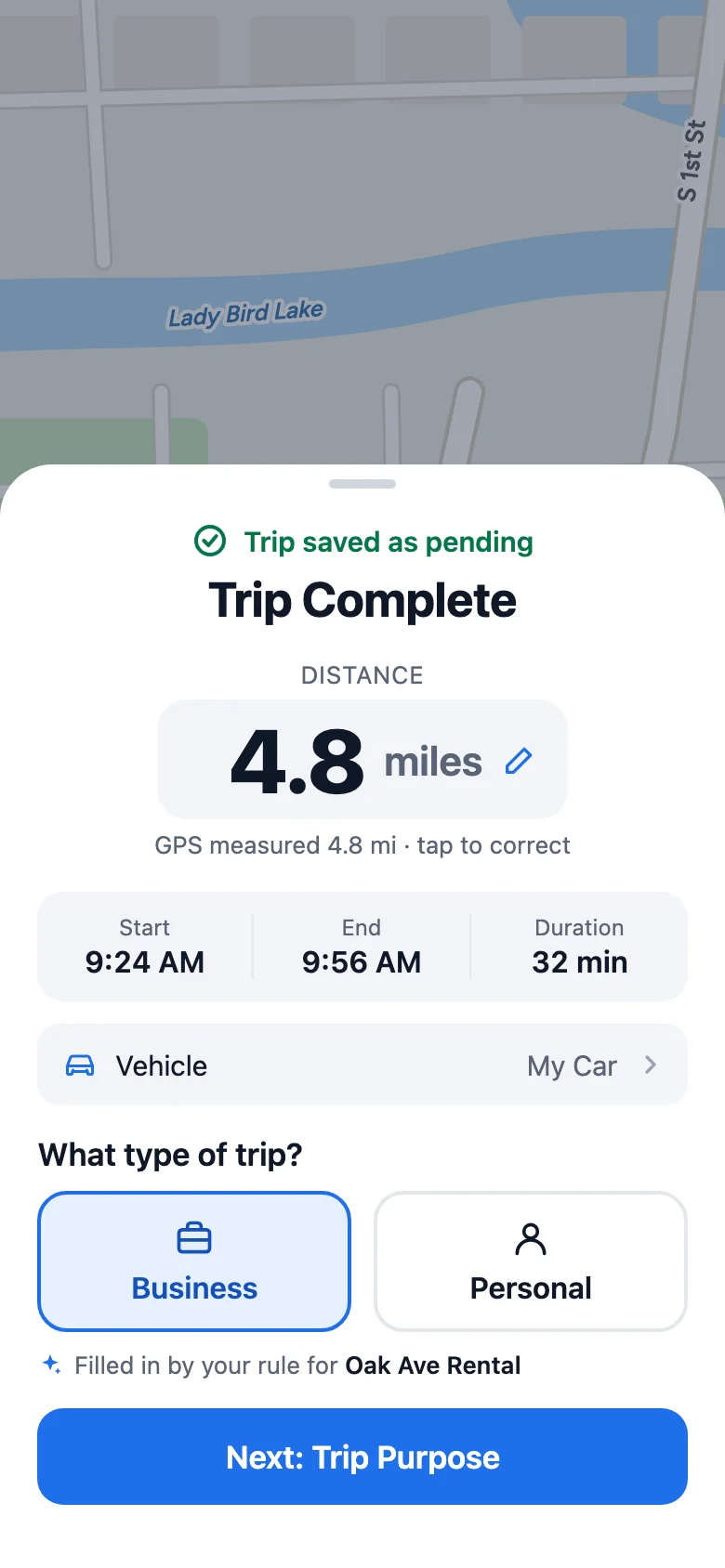
Mark it Business or Personal, pick a purpose, fix the distance if GPS drifted.
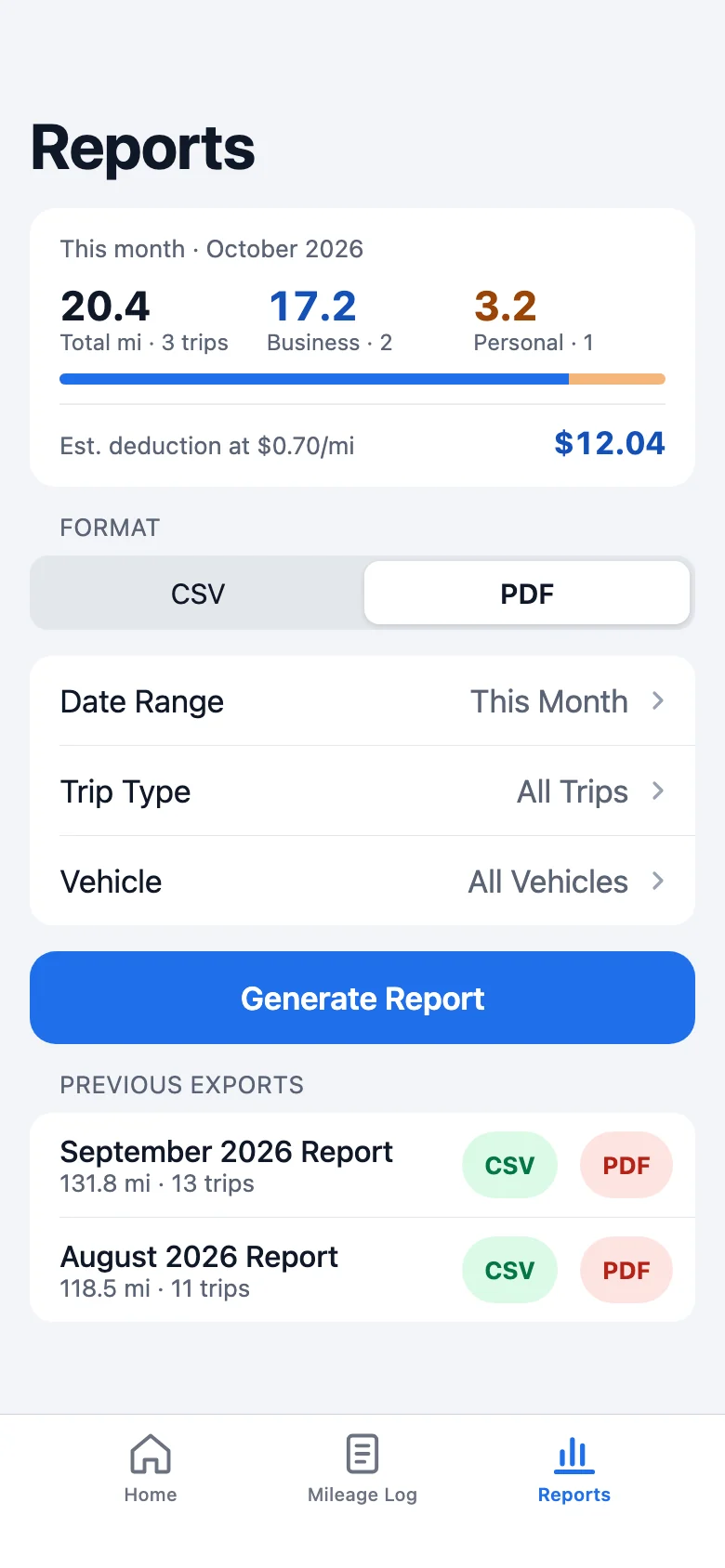
Generate a CSV or a print-ready PDF for any date range and share it with your accountant.
Real life happens
Forgot to start, forgot to stop, or lost your phone? Your log stays complete either way.
Enter a past trip in seconds and estimate the distance from the two addresses. Added trips are labeled Manual in your reports.
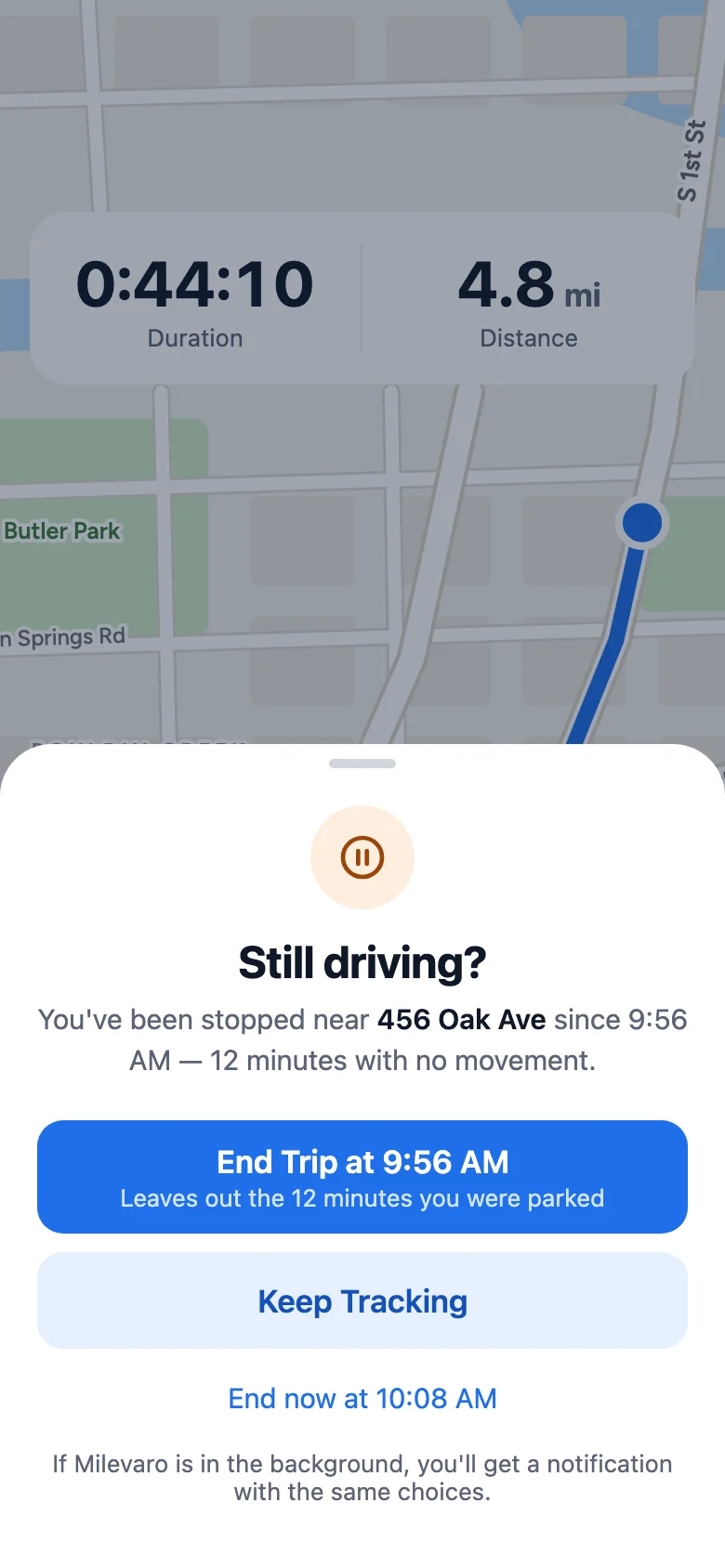
Parked for a while with the trip still running? Milevaro asks if you're still driving and can end the trip at the moment you stopped.
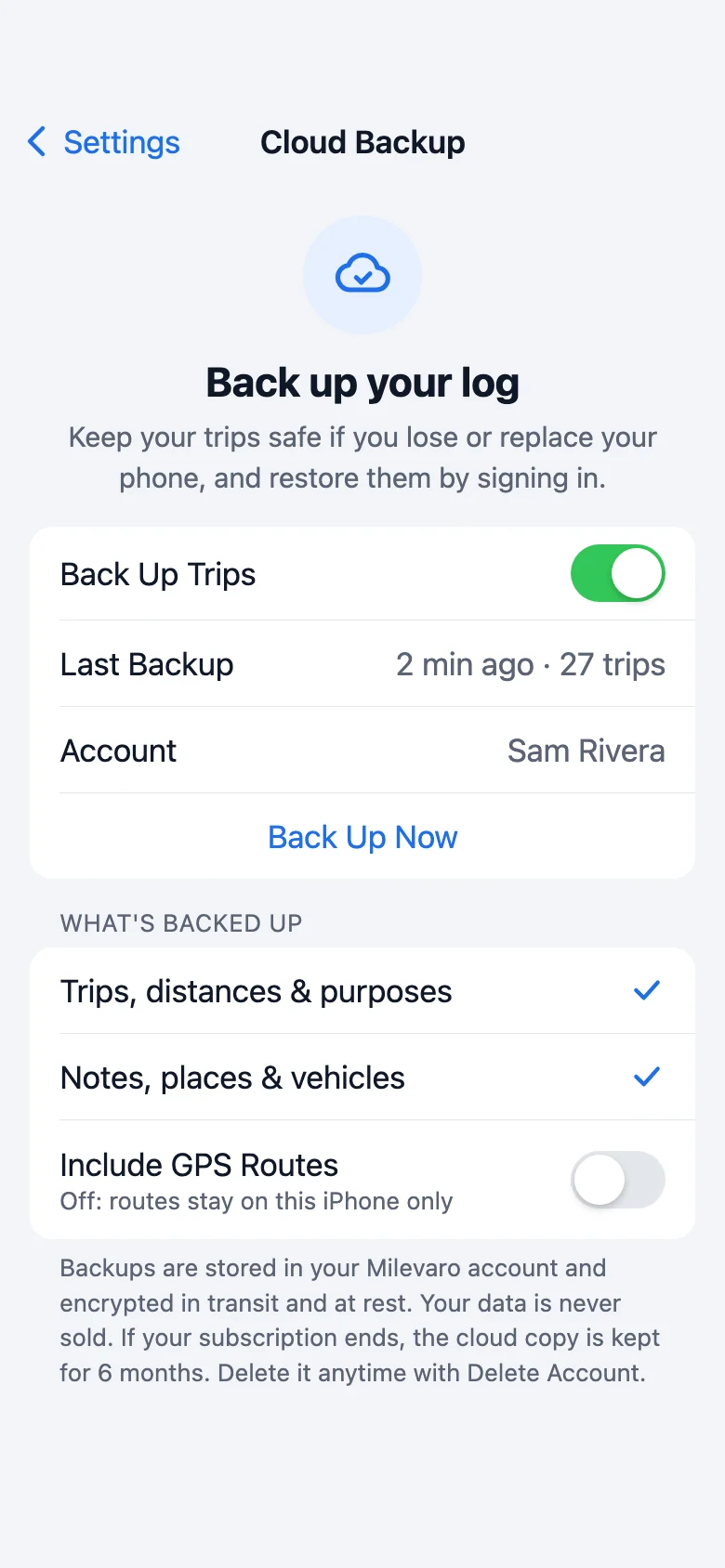
Turn on cloud backup and sign in on your new phone to get your log back. GPS routes stay on your device unless you choose to include them.
Features
Distance is summed point by point, with inaccurate readings, duplicates and impossible jumps filtered out.
Correct a trip's distance any time. The original GPS figure is kept for reference.
Every trip gets a type and a purpose. Add your own purposes, reorder them, or hide the ones you never use.
Business miles times a rate you set gives an estimated deduction on Home, in Reports and in exports.
Save places like an office or a rental. Rules fill in the type and purpose when a trip ends there.
Track several vehicles, record start and end of year odometer readings, and create an annual report.
Lock your phone or switch apps. If the app is closed unexpectedly, the trip is recovered when you reopen it.
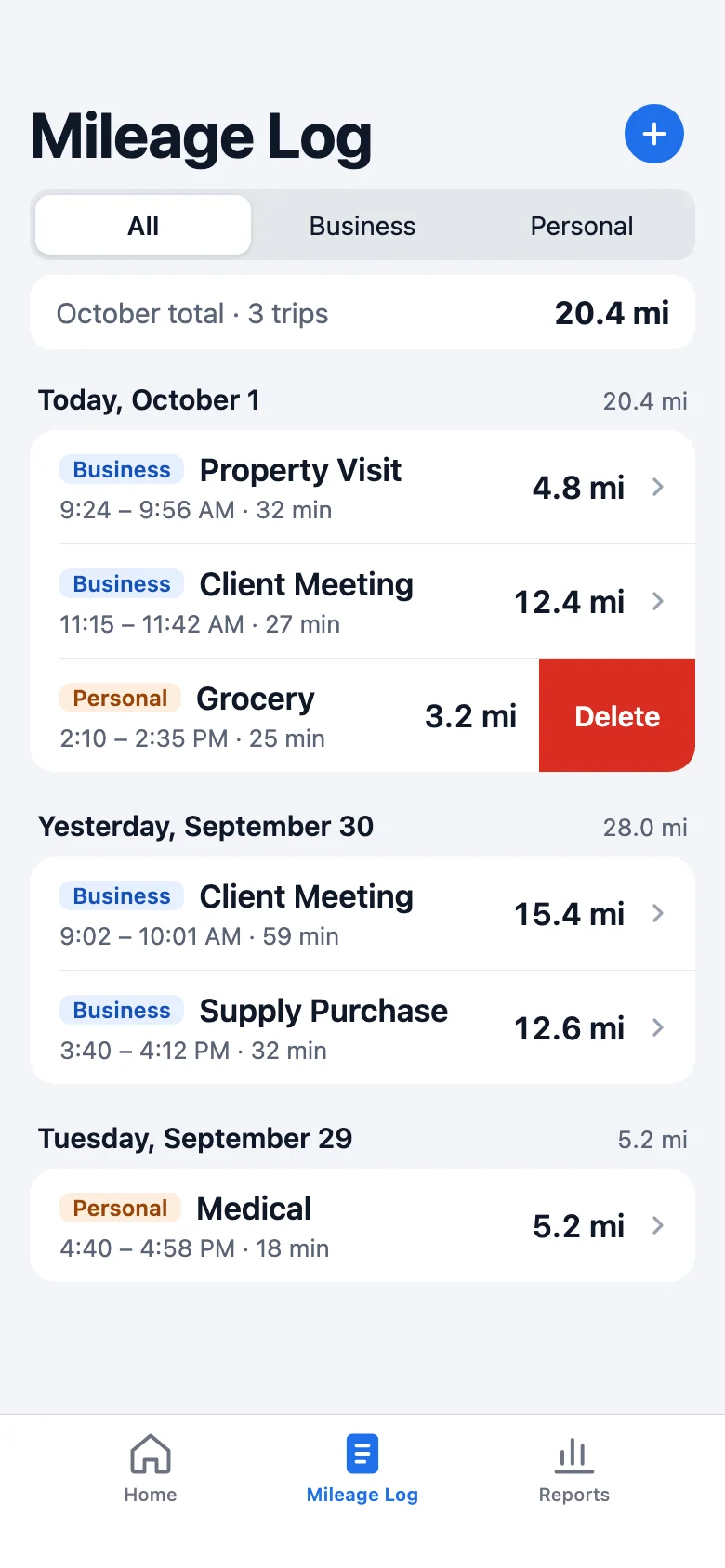
Browse trips by day, filter business and personal, see monthly totals, and edit or delete any entry.
Export any date range by trip type or vehicle, and share straight from your phone.
Privacy first
Milevaro only works when you're driving for a reason. The rest of the time, it isn't watching.
GPS starts when you tap Start Trip and stops when you end it. Never in between.
Trips and routes live on your phone. No account needed. Cloud backup is optional, and routes stay local unless you include them.
Your location data is never sold, and GPS routes aren't uploaded unless you choose to back them up. On Android, a saved trip's map is drawn by Google from its route.
Remove a single trip, all your data, or your account, right from the app.
Reports
Clean, print-ready summaries generated on your phone.
Milevaro reports are for your records. They aren't IRS-certified and don't guarantee a deduction. Check with your tax professional.
 Milevaro
Generated Oct 1, 2026
Milevaro
Generated Oct 1, 2026
September 1 – September 30, 2026 · All trips
| Date | Purpose | From → To | Miles | Type |
|---|---|---|---|---|
| Sep 22 | Property Visit | Main St → Maple St | 11.2 | Business |
| Sep 23 | Property Visit | Main St → Oak Ave | 9.7 | Business |
| Sep 25 | Delivery | Pine Rd → Cedar Ln | 7.9 | Business |
| Sep 26 | Grocery | Pine Rd → Home | 8.3 | Personal |
| Sep 29 | Medical | Home → Red River St | 5.2 | Personal |
| Sep 30 | Client Meeting | Main St → Cedar Ln | 15.4 | Business |
Showing 6 of 13 trips · Page 1 of 1
Quick start
Start or stop a trip from your Lock Screen, a widget, the notification shade or your voice.


iOS & Android
Designed to each platform's own conventions, so it works the way your other apps do.
Pricing
Try everything free for a month, then choose yearly or monthly. Cancel anytime.
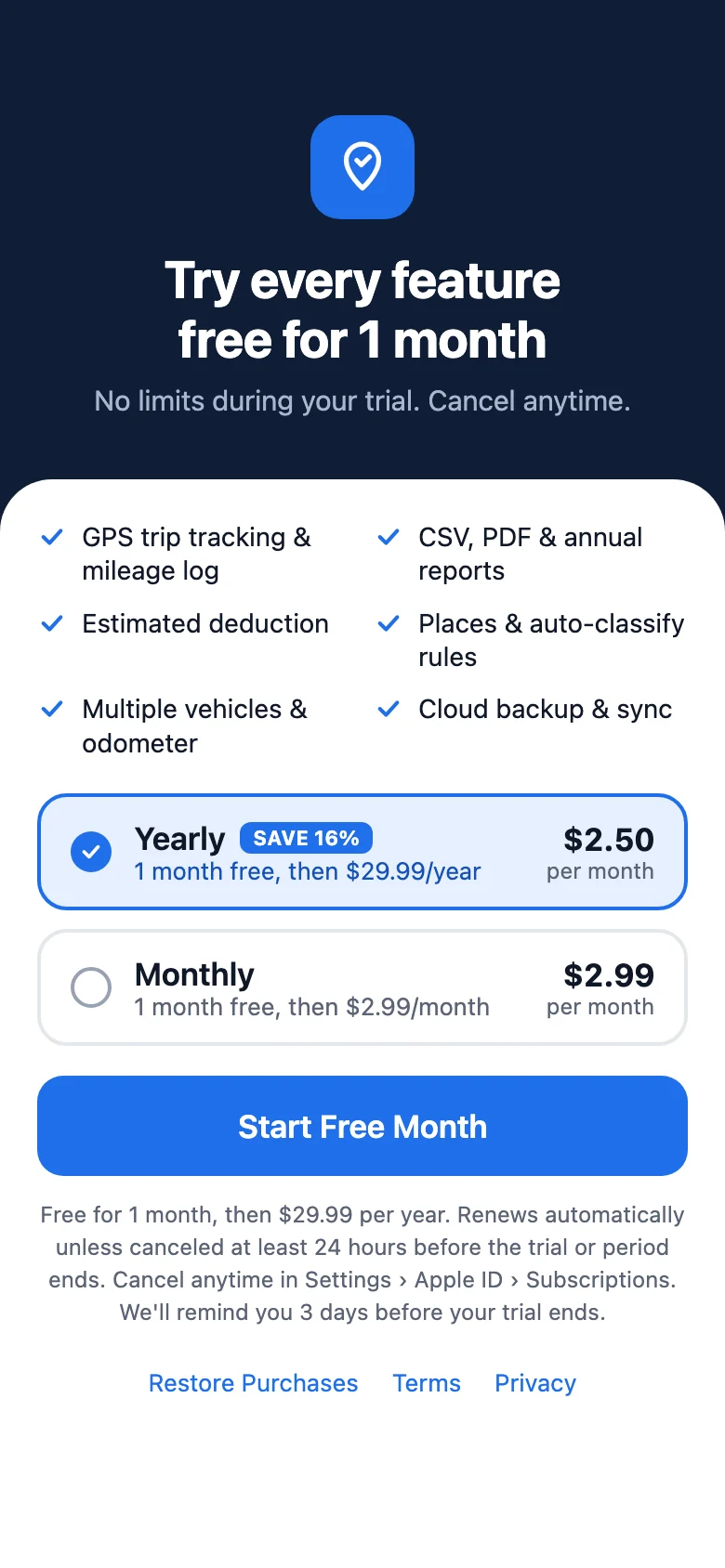
$29.99 / year
$2.50 a month · save 16%
Start free month$2.99 / month
Billed monthly
Start free monthYour free month starts when you subscribe in the App Store or Google Play, and you can cancel anytime before it ends. If you don't subscribe, your trips stay on your phone and you can still view and export them as CSV; recording new trips needs a subscription. Cloud backups are kept for 6 months.
FAQ
The IRS standard mileage rate for business use is 76 cents per mile for miles driven from July 1 to December 31, 2026, and 72.5 cents per mile from January 1 to June 30, 2026. Milevaro multiplies your logged business miles by the rate you choose to show an estimated deduction. It’s an estimate, not tax advice. See all 2026 rates and how to calculate them.
Milevaro is a GPS mileage tracker app for iPhone and Android. You start and stop each trip with one tap, mark it business or personal with a purpose, and export your mileage log as a CSV or PDF for your records or your accountant.
Milevaro is free to download and every feature is free for your first month. After that it costs $29.99 per year or $2.99 per month. Cancel anytime in the App Store or Google Play.
No. Location is collected only between Start Trip and End Trip. When no trip is active, Milevaro doesn't use your location at all.
Yes. Tracking continues in the background on both iPhone and Android, subject to the location permission you grant. On Android you'll see a notification while a trip is active.
You can edit the distance on any trip. Milevaro keeps the original GPS figure for reference, so your corrections are always explainable.
Yes. Tap + in the Mileage Log, enter the date, time and addresses, and Milevaro can estimate the distance. Added trips are labeled Manual in your log and reports.
If you've been parked for a while with a trip running, Milevaro asks whether you're still driving. You can end the trip at the time you stopped, so the parked time isn't counted.
It's your business miles multiplied by the mileage rate you set in Settings. It's an estimate to help you keep track, not tax advice.
With cloud backup turned on, sign in on your new phone and your trips come back. Without backup, trips are stored only on the old phone.
If you subscribe, nothing changes. If you don't, your trips stay on your phone and you can still view them and export them as CSV, but you can't record new trips. Your cloud backup is kept for 6 months in case you come back. We never delete the trips stored on your phone.
No. Milevaro works fully on your phone without one. Sign in with Apple or Google if you want cloud backup.
Milevaro reports are a record of the trips you logged. They aren't IRS-certified and don't guarantee a deduction, so check with your tax professional about what you need.
Not yet. Milevaro tracks the trips you start yourself, which keeps it accurate and private. Automatic detection is on the roadmap.
Swipe to delete a single trip, or go to Settings to delete all trip data or your account. Deletion is permanent.
Try every feature free for a month. Start tracking in under five seconds.